Trim Sheet Sci-Fi Environment
My main goals for this 1 month project were to learn trimsheet creation and application, along with improving efficiency through optimisation.
-I began by planning a trimsheet and modular assets. Then, I moved on to modeling, creating a blockout in Unreal Engine, arranging trimsheet layout in Photoshop, modeling trimsheet in Maya, baking and texturing in Substance Painter. The final steps were refining modular assets (topology editing, uv unwrap, uv placing, vertex color applying), setting materials in Unreal Engine, and fine-tuning the lighting (post process, fog, skylight, rectangular lights) and polishing.
Challenges and Learning:
-Working with trimsheets and vertex colors was new for me.
-Planning trimsheets required precision and allocating extra space for potential textures was a helpful tip.
-Using the lattice tool for adjustments, making the trimsheet modular, and using masks and generators in Substance Painter helped manage time.
-Adding more faces to the model improved trimsheet quality in terms of texel density
-Shader settings were tricky and learning to use RGBA channels separately for roughness, metallic, and emissive was a game-changer for me.
-I picked up tri-planar UV mapping in Unreal Engine for adding dirt and learned to add and use a text to the same trimsheet.
-Applying vertex colors in Maya and node settings in the Unreal Engine shader, especially using adjustable color switches, saved time and added more options.
-The project also gave me a better grasp of Unreal Engine lighting and post-processing settings.
-Using a LUT improved the visuals.
I followed an amazing trimsheet tutorial from FastTrack for this project.

I began by planning a trimsheet and modular assets. Then, I moved on to modeling, creating a blockout in Unreal Engine, arranging trimsheet layout in Photoshop, modeling trimsheet in Maya, baking and texturing in Substance Painter.

The final steps were refining modular assets (topology editing, uv unwrap, uv placing, vertex color applying), setting materials in Unreal Engine, and fine-tuning the lighting (post process, fog, skylight, rectangular lights) and polishing.


scene in editor view
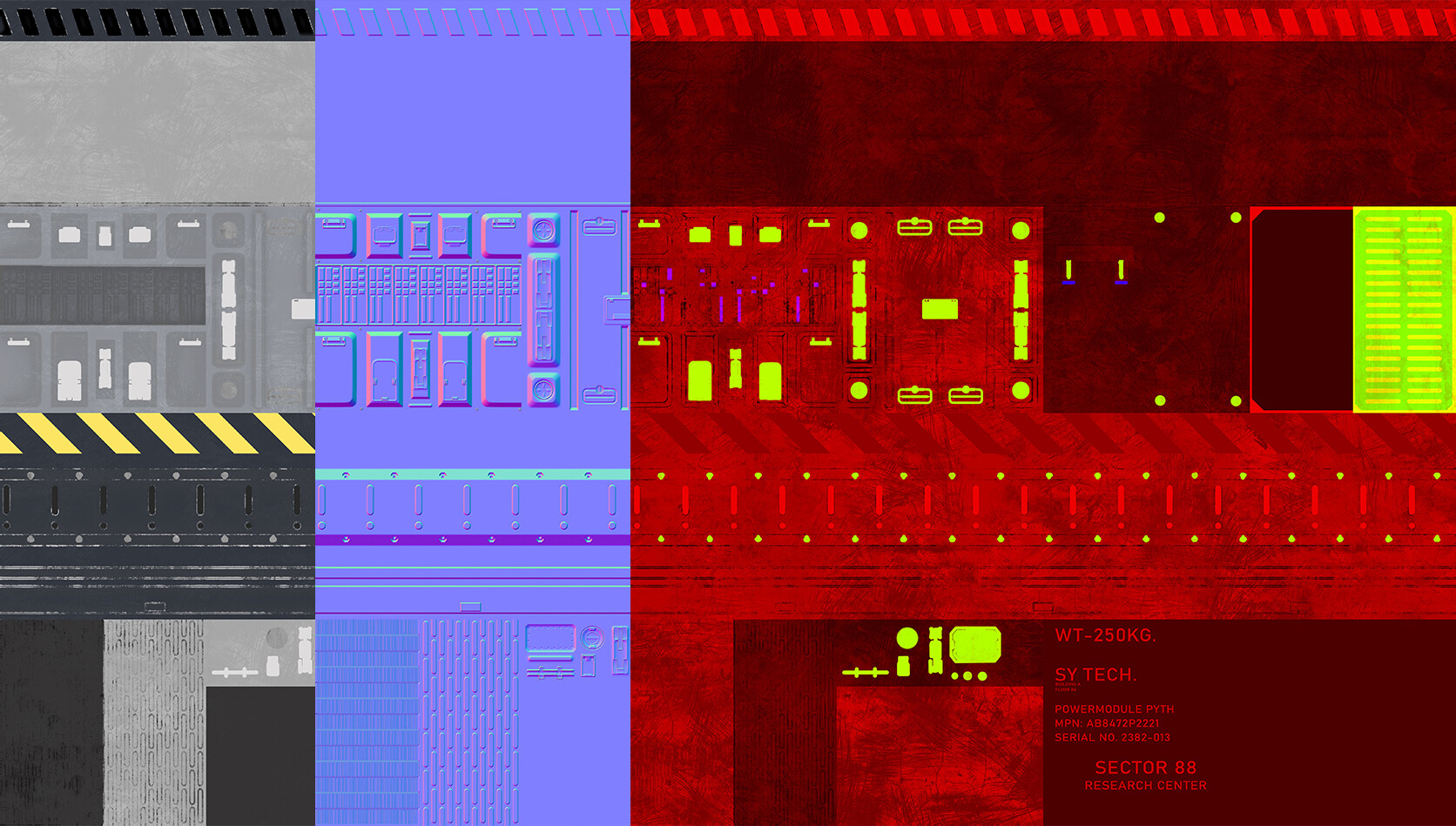
Only used 1 trimsheet with 3 texture maps. I used RGBA channels separately for roughness, metallic, and emissive.

Final trimsheet model
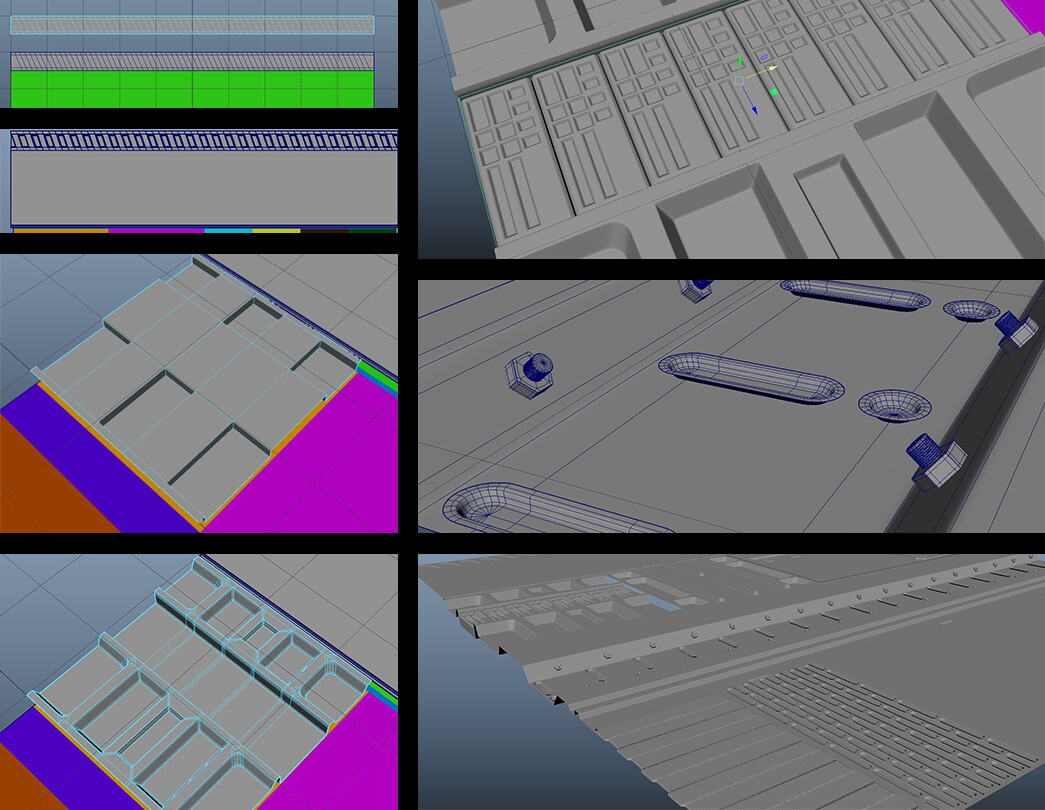
Modeled trimsheet in Maya for baking

Changed the topology to have a better texel density and adjusted UVs

Applied vertex color in Maya and made shader adjustments in UE

Made blockout

Breakdown of the process

Concept of Yurev Stanislav